





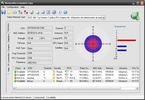
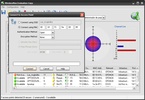
WirelessMon es una aplicación que obtiene información sobre todo lo relacionado con tu dispositivo inalámbrico. Muestra un indicador esférico en el que se puede comprobar fácilmente el estado de la señal. Dicho indicador puede colocarse sobreimpresionado en el Escritorio.
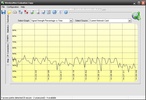
También, posee un pequeño gráfico que recoge el uso que se está realizando de los distintos canales de radio. Utilízalo para elegir uno que no esté saturado. Por otro lado, emplea WirelessMon para crear mapas de puntos de acceso, vía GPS o de forma manual. Mapas, que podrás ver cuando quieras.
Por último, gracias esta herramienta puedes consultar gran cantidad de información relacionada con la conexión, desde el tráfico de dato, hasta la direcciones MAC de los distintos puntos de acceso, etcétera.

























Comentarios
Todavía no hay opiniones sobre WirelessMon. ¡Sé el primero! Comentar